A lot of designers build beautiful Framer sites and then wonder why nobody shows up. The site loads fast, looks great, and works perfectly. But Google doesn't know it exists.
Framer SEO is more straightforward than most people think. The platform handles a lot of the technical groundwork automatically. What you need to do is understand what's built in, what you need to set up yourself, and what actually moves the needle when it comes to ranking.
This guide covers all of it, in a practical order you can actually follow.
Is Framer good for SEO?
Yes. Framer is genuinely good for SEO, and it's getting better. The platform generates clean code, loads fast by default, and includes most of the SEO tools you need without plugins or workarounds.
What Framer handles automatically, among others:
Sitemap.xml generation and updates
robots.txt
Image optimization and CDN delivery
Server-side rendering for fast page loads
SSL certificate
What you need to set up yourself is covered in the rest of this guide.
Set up your meta titles and descriptions
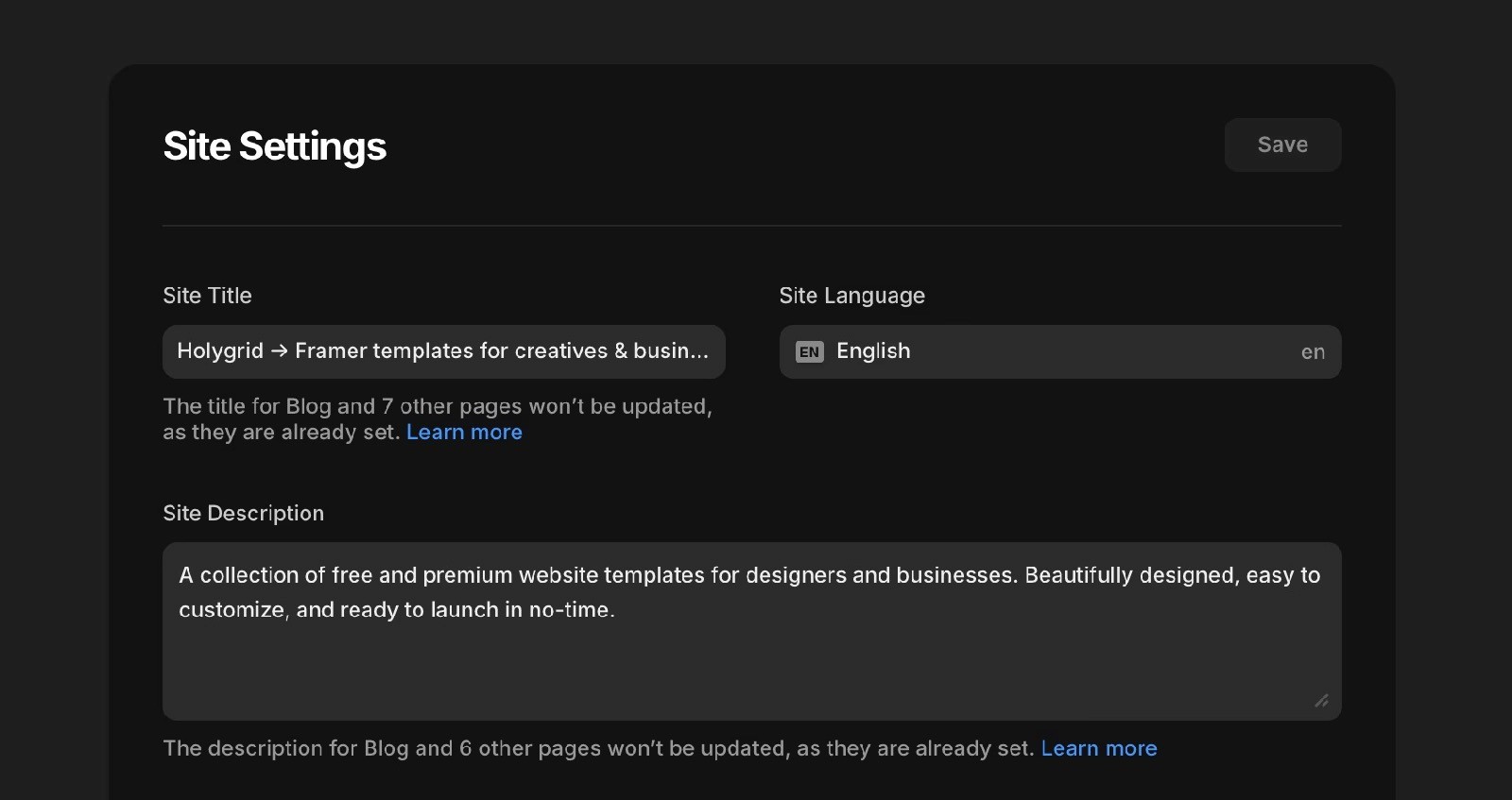
This is the first thing to get right. Every page on your Framer site should have a unique title and meta description. These are what show up in Google search results, and they directly affect whether someone clicks through to your site.
In Framer, go to the Page Settings and select a specific page. You'll find fields for the page title and meta description there.
A few rules worth following:
Keep titles under 60 characters so they don't get cut off in search results
Keep meta descriptions under 155 characters
Include your primary keyword naturally in both
Write for the reader, not just the algorithm. A good description gets clicks, and clicks are a ranking signal
For CMS pages like blog posts or portfolio items, Framer lets you set dynamic meta titles using CMS field variables. Set this up once and every new entry gets its own unique metadata automatically.
Use clean, descriptive URLs
Framer SEO benefits significantly from clean URLs. A URL like /framer-seo-guide tells Google exactly what the page is about. A URL like /page-3 tells Google nothing.
In Framer, you can set the slug for every page in the page settings. Do this for every page before you publish. It's much harder to change URLs after a site is live without breaking existing links and losing any ranking you've built up.
For CMS pages, the slug is usually pulled from a field in the collection (by default this is the title). Make sure it's set to something descriptive and use your keywords here.
Get your headings right
Heading structure is one of the most underrated Framer SEO factors. Google uses headings to understand what a page is about and how the content is organised.
Every page should have exactly one H1. That's your main title, and it should include your primary keyword. Use H2s for your main sections, and H3s if you need sub-sections within those.
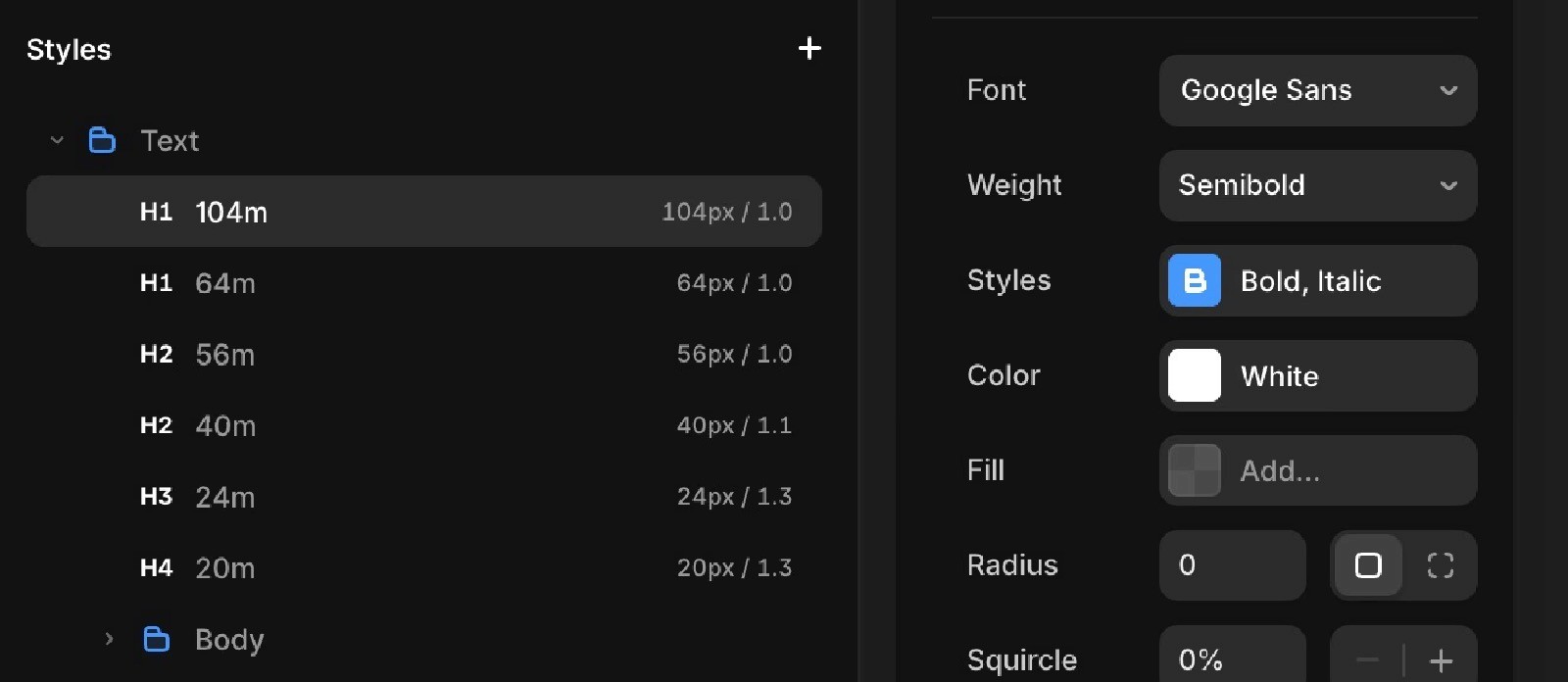
In Framer, text elements default to a paragraph tag. You need to manually set the semantic tag to H1, H2, or H3 in the right panel under the element tag dropdown. A lot of Framer sites skip this and end up with no heading hierarchy at all, which hurts rankings. Or even better: use text styles that converts the titles to H1, H2, H3 etc.
Add alt text to every image
Alt text is descriptive text attached to an image that tells search engines what the image shows. It's also important for accessibility.
In Framer, click on any image element and look for the alt text field in the right panel. Fill it in for every image on every page. Keep it descriptive and natural. Include your keyword where it genuinely fits, but don't force it.
Images without alt text are invisible to search engines. It's a simple fix that makes a real difference, especially if you're using images as key visual content on product or blog pages.
Connect Google Search Console
Google Search Console is free and essential. It shows you which queries your site is ranking for, which pages are indexed, and any crawl errors Google has found.
To connect it to your Framer site, go to Site Settings and add your Google Search Console verification code in the custom code section. Submit your sitemap once the site is live. The sitemap URL is usually yourdomain.com/sitemap.xml and Framer generates it automatically.
Check Search Console at least once a month. It'll tell you things about your site's performance in search that no other tool can.
Set up redirects when you change URLs
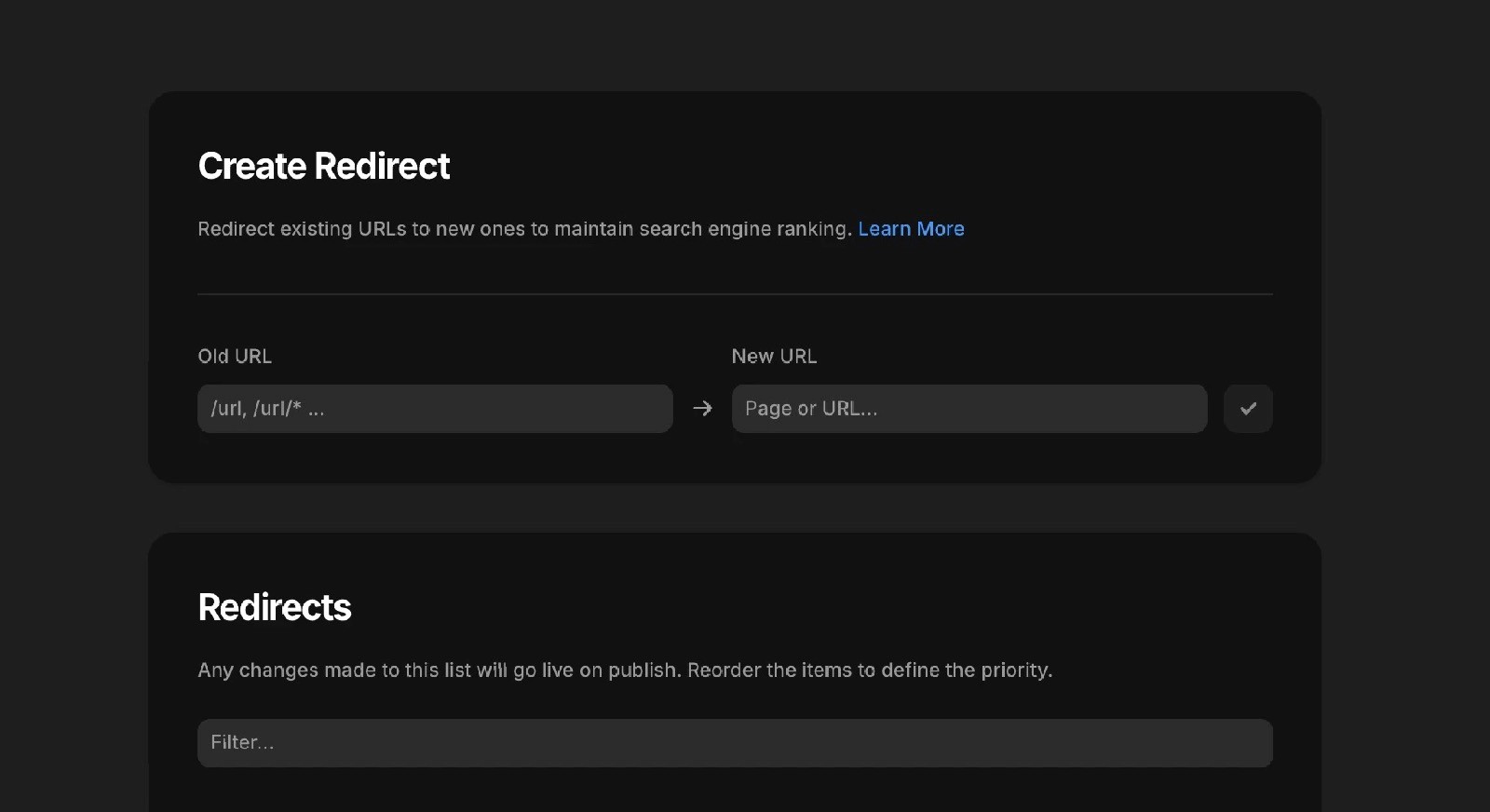
If you ever change a page URL after it's been indexed, set up a 301 redirect from the old URL to the new one. Without it, anyone who clicks an old link lands on a 404 page, and Google loses the ranking signals associated with that URL.
In Framer, go to Site Settings and find the Redirects section. Add the old path and the new path. It takes about 30 seconds and saves a lot of pain.
This is especially important if you're migrating an existing site to Framer. Map all your old URLs to new ones before you launch, and set up the redirects on day one.
Write content people actually search for
All the technical Framer SEO setup in the world won't help if your pages don't have content worth ranking. Google ranks pages that answer questions and provide genuine value.
For every page you want to rank, ask: what is someone searching for when they land here, and does this page answer that clearly?
A few practical points:
Blog posts should be at least 1,000 words for informational topics, ideally 1,500 to 2,500
Use your primary keyword in the first 100 words, the H1, and naturally throughout
Use the Framer CMS for blog content so each post gets its own indexed URL
Update old content when it becomes outdated rather than publishing a duplicate
If you're not sure what people are searching for, Google Search Console shows you the actual queries your site is getting impressions for. That's a much more reliable signal than guessing.
Internal linking
Internal links connect your pages to each other and help Google understand the structure of your site. They also pass ranking authority from strong pages to weaker ones.
Every blog post or article should link to at least two or three other relevant pages on your site. Product pages should link to related content. Your homepage should link to your most important pages.
In Framer, internal links work like any other link. Just make sure you're linking to the correct URL and using descriptive anchor text. "Read the full guide on Framer templates" is better than "click here."
If you're building a template-focused site like Holygrid, link from blog posts to relevant template pages where it makes sense. That's one of the clearest signals you can send about what the product page is about. The Framer templates page, for example, benefits from every article that links to it with relevant anchor text.
Page speed and performance
Framer sites are fast by default. Server-side rendering, global CDN, automatic image compression, and clean code all contribute to good performance out of the box.
That said, you can still slow things down. Heavy animations, unoptimised images uploaded at massive file sizes, and too many third-party scripts all add load time.
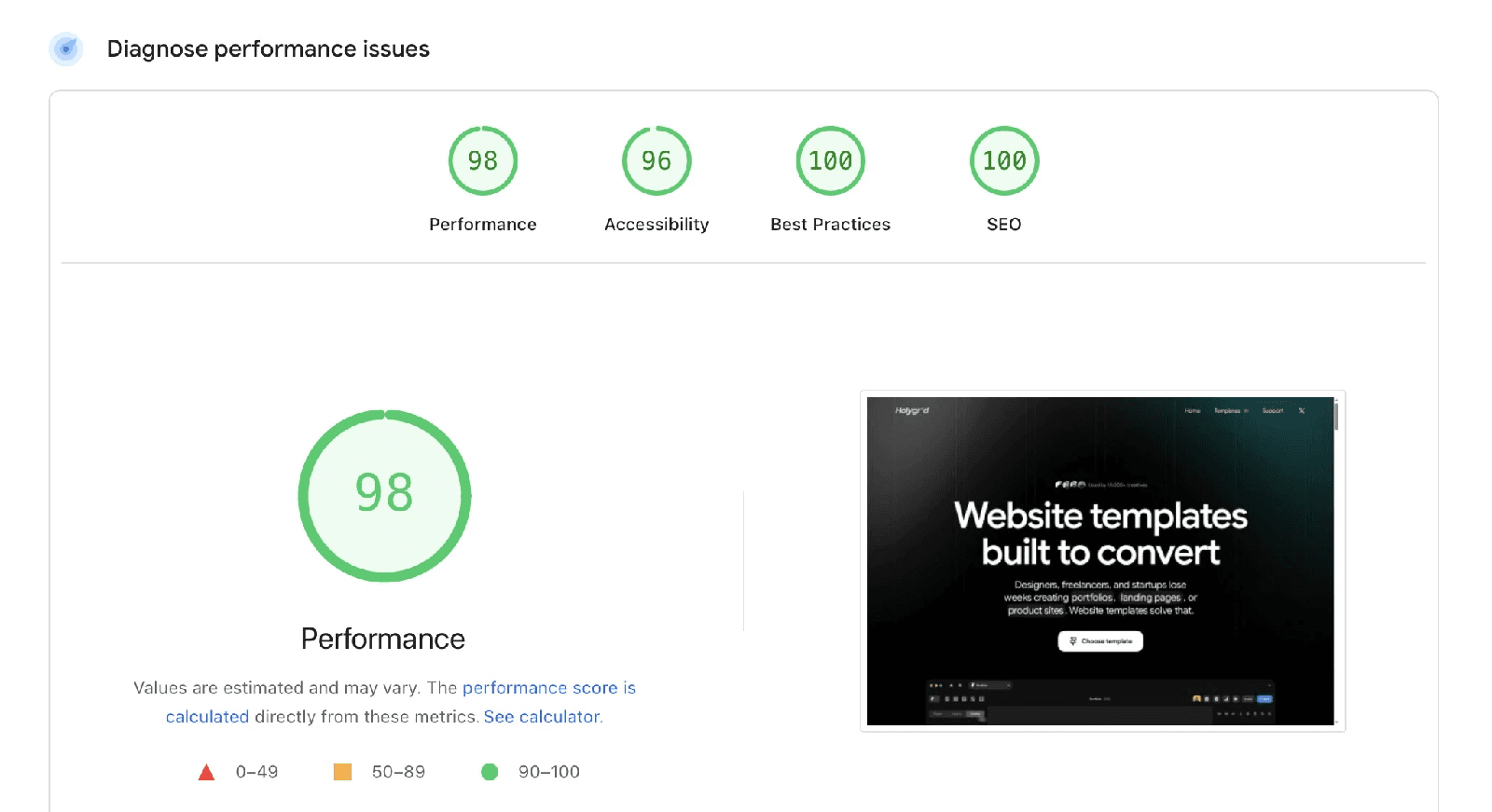
Run your published site through Google PageSpeed Insights after launch. Aim for a score above 90 on mobile. Fix anything that's flagged as a major issue. Page speed is a confirmed ranking factor, and it also affects how long visitors stay on your site.
Open Graph and social sharing
Open Graph tags control how your pages look when shared on social media. A page with a proper OG image, title, and description looks professional when posted on LinkedIn or X. A page without them shows a blank preview or random text.
In Framer, you can set the social sharing image and title in the same SEO settings panel as your meta title and description. Set a default for the whole site in Site Settings, and override it for individual pages where you want something specific.
For blog posts using CMS, you can pull the featured image automatically into the OG image field using a variable. Set this up once and it works for every post.
Framer SEO is a starting point, not a finish line
Getting the technical setup right is important, but Framer SEO is an ongoing process. Publish good content consistently, check your Search Console data regularly, fix issues when they appear, and build internal links as your site grows.
The sites that rank well over time are the ones that keep investing in quality content and good structure. The technical side of Framer SEO is genuinely solid. The content side is up to you.
If you want to start with a strong foundation, a well-built Framer template gives you clean structure, proper heading hierarchy, and fast performance from day one. Browse the Framer templates for options built with SEO in mind.