Running an event is hard enough without spending three weeks wrestling with a website. Whether you're organising a conference, a meetup, or a workshop, you need a site that launches fast, works on mobile, and gets people to sign up without friction. The right event website template handles all of that, so you can focus on the event itself. The wrong one costs you more time than building from scratch would have.
This guide covers what to look for in an event website template, what to avoid, and the best options available right now.
Why most event sites fail before they launch
The problem isn't usually the template itself. It's what happens after you download it.
You pick something that looks good in the preview. Then you realize half the sections don't match your event structure. Or the registration flow is buried three clicks deep. Or it loads like molasses on mobile.
Common mistakes I see:
Choosing style over function
Ignoring mobile experience entirely
Overcomplicating the registration process
Forgetting about post-event content
Avoiding these pitfalls starts with understanding what your event actually needs, not what looks cool in a screenshot.
The truth is, most events need the same core pages: overview, schedule, speakers, venue, tickets. If your template makes those hard to find or hard to update, you've already lost.
What actually matters in an event website template
Forget the flashy animations for a second. Here's what separates a useful event website template from a time sink:
Speed and performance
Nobody waits for your site to load. If it takes more than two seconds, they're gone. This matters more for event sites because people usually visit with intent. They're checking the schedule, buying tickets, or looking up speaker details. Slow load times kill conversions.
Templates built on modern platforms like Framer tend to perform better out of the box than older WordPress themes or bloated page builders. But you still need to check. Run it through PageSpeed Insights before you commit.
Mobile-first design
More than half your visitors will be on phones. That number goes up if your event targets a younger crowd or creative professionals.
A good event website template should look better on mobile than desktop. Not just "responsive" where things shrink down. Actually designed for small screens first.
Desktop priority | Mobile priority |
|---|---|
Big hero images | Clear event date and CTA |
Full schedule grid | Collapsible schedule |
Multi-column layouts | Single-column flow |
Hover states | Tap-friendly buttons |
Registration that doesn't suck
This is where most templates fall apart. They look great until you try to connect a payment or registration link.
The simplest approach is also the most flexible: link directly to an external payment or ticketing platform. Tools like Contra, Lemon Squeezy, or Polar let you create a payment link in minutes. You drop it into a button on your template and you're done. No embed code, no developer, no integration headaches.
This is exactly how the Keynote template handles it. A clean registration button that points to your payment link of choice. It works with any platform that generates a URL, which is pretty much all of them.
If you need something more embedded, like a full ticketing widget inside the page, check whether the template supports standard embed codes before you buy. But for most events, a well-placed button linked to your preferred platform is all you need.
The real cost of free templates
Free templates exist. Some of them are even decent. But they come with hidden costs.
What "free" usually means:
No support when something breaks
Limited customization options
Branding you can't remove
Outdated code that doesn't play nice with modern tools
SEO that's an afterthought
I'm not saying never use free templates. I'm saying know what you're trading. If your event is small and low-stakes, a free template might work fine. If you're charging for tickets or building credibility in your industry, invest in something better.
The time you spend fighting a free template's limitations usually costs more than buying a premium one upfront. Choosing the right template isn't about finding the cheapest option. It's about finding the one that gets you launched fastest.
Templates vs custom builds: when each makes sense
This isn't actually a binary choice, but people treat it like one.
When to use a template
Your event is 6 months out or less
You don't have a developer on retainer
You need to launch in days, not weeks
Your event follows a standard format
When to go custom
Your event has unique interactive features
You have a development team
Timeline allows 2+ months
You're building a platform, not a one-off site
Most events fall into the first category. You're not building the next SXSW. You're promoting a conference, meetup, or workshop. An event website template gets you 90% there for 10% of the cost.
The other 10%? That's your specific content, branding, and personality. Which brings us to customization.
Customizing without breaking everything
Every template says it's "fully customizable." What that actually means varies wildly.
Some templates let you change colors and fonts. Others let you restructure entire sections without touching code. Know the difference before you buy.
What you should be able to customize easily:
Colors and typography
Section order and layout
Images and media
Copy and content
Button styles and CTAs
What usually requires code:
Complex animations
Custom integrations
Unique form fields
Advanced filtering or search
Custom post types or content structures
If you're working in Framer, you get more control than traditional page builders without needing to write code. That's the sweet spot for most designers. The how to customize a Framer template guide covers the customization process in detail if you're new to it.
SEO that actually helps people find your event
Templates often treat SEO as an afterthought. They'll have the technical boxes checked but miss the actual strategy.
Your event website template needs proper semantic HTML, fast load times, and mobile optimization. Those are table stakes. But SEO for events is different than SEO for blogs or portfolios.
People search for events by:
Topic + city + year ("design conference San Francisco 2026")
Speaker names
Venue names
Event type ("tech meetup Brooklyn")
Your template needs to make it easy to optimize for these searches. That means dedicated speaker pages or sections, location information in structured data, date and time marked up properly, and clear event schema.
For a full walkthrough of Framer-specific SEO setup, the Framer SEO guide covers everything you need to know.
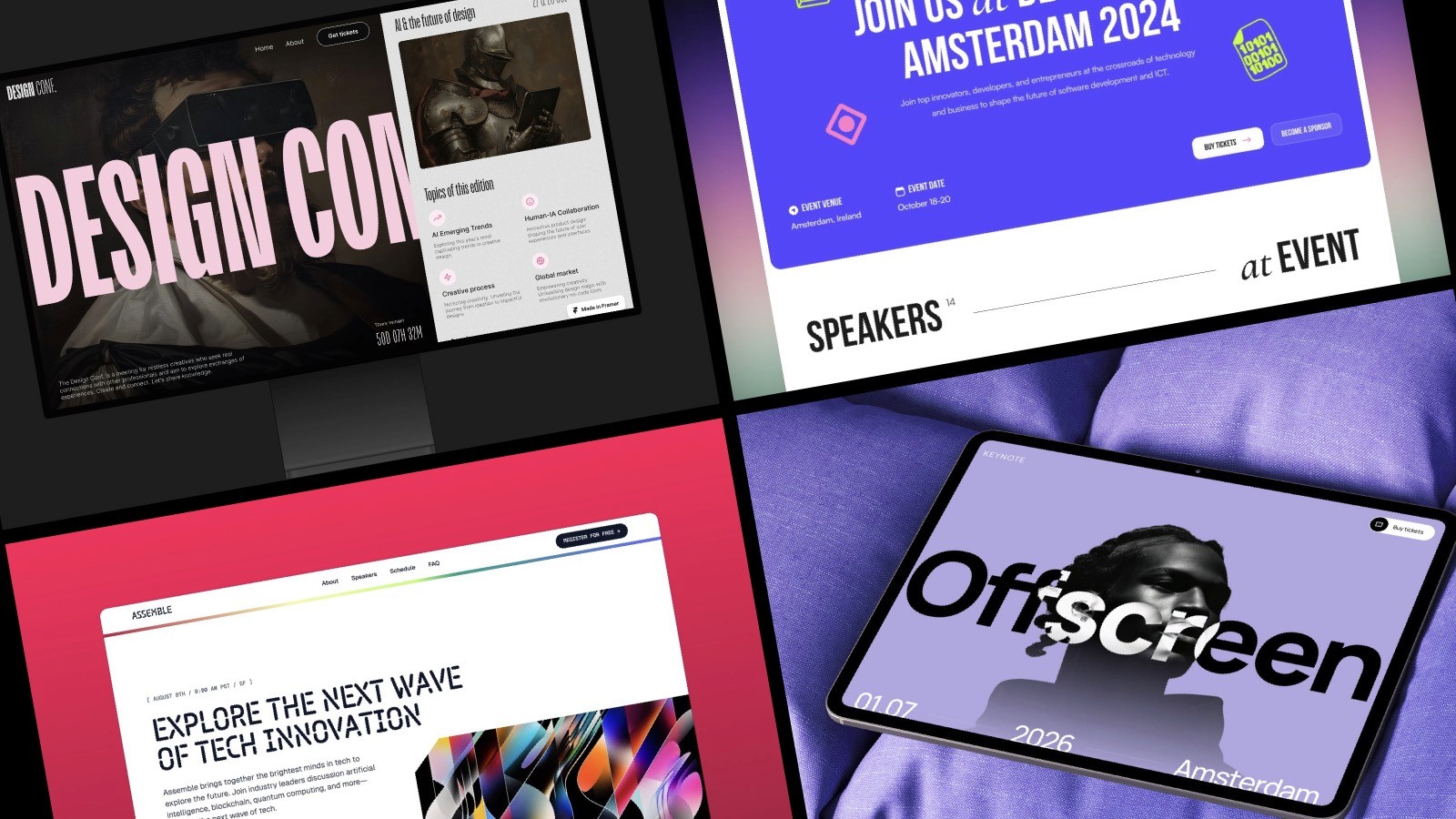
The best event website templates for Framer in 2026
If you've decided Framer is the right platform, here are the strongest event templates worth considering. These are built for different event types and price points, so pick based on what fits your situation.
Keynote by Marc Kuiper
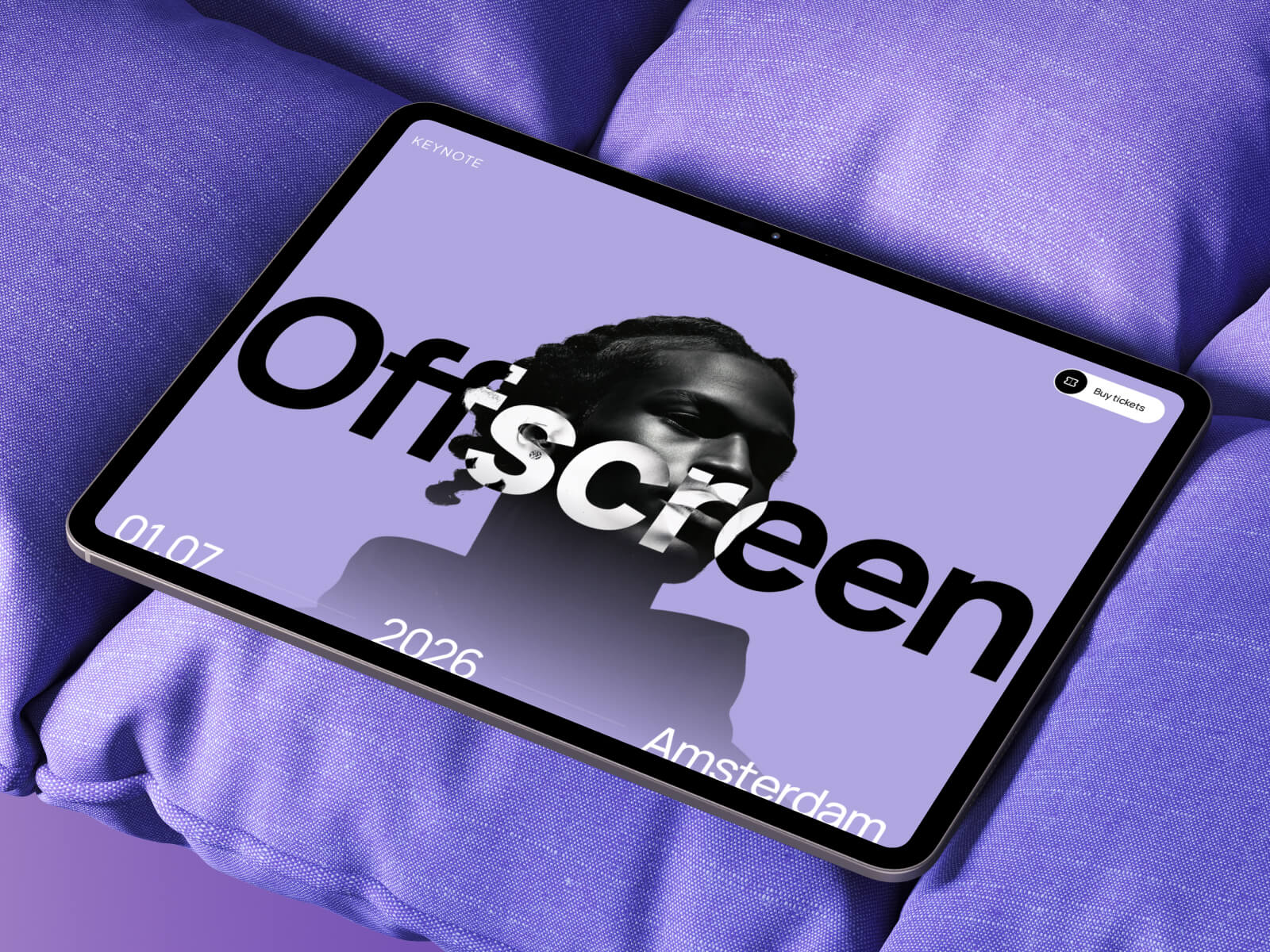
A premium event template built specifically for conferences, meetups, and workshops. Clean design, flexible sections for speakers, schedules, and sponsors, and a simple registration flow that links out to your preferred payment platform like Contra, Lemon Squeezy, or Polar. Ideal for organisers who want something professional without the integration headaches.
Best for: conferences, professional meetups, and ticketed events.
Assemble by Bryn Taylor
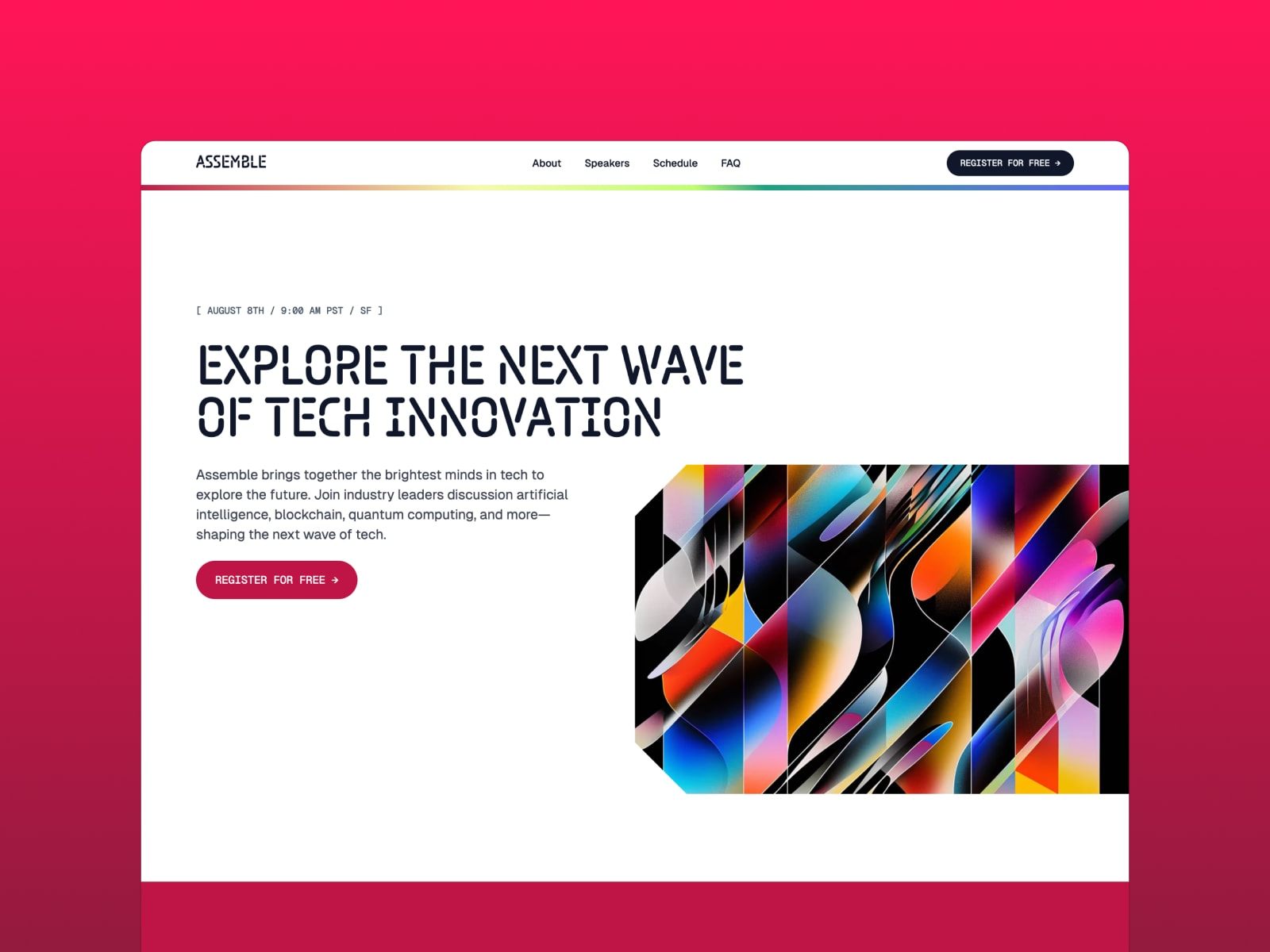
A premium Framer template designed for tech conferences, meetups, and events. Clean, modern design with CMS-driven speakers and sessions, so updating the lineup is straightforward. Built with the latest Framer features like masks, pattern backgrounds, and page effects. A solid choice if you want something polished and well-built from a trusted creator with 20k+ customers.
Best for: tech conferences and modern meetups.
DesignConf by André Lacerda
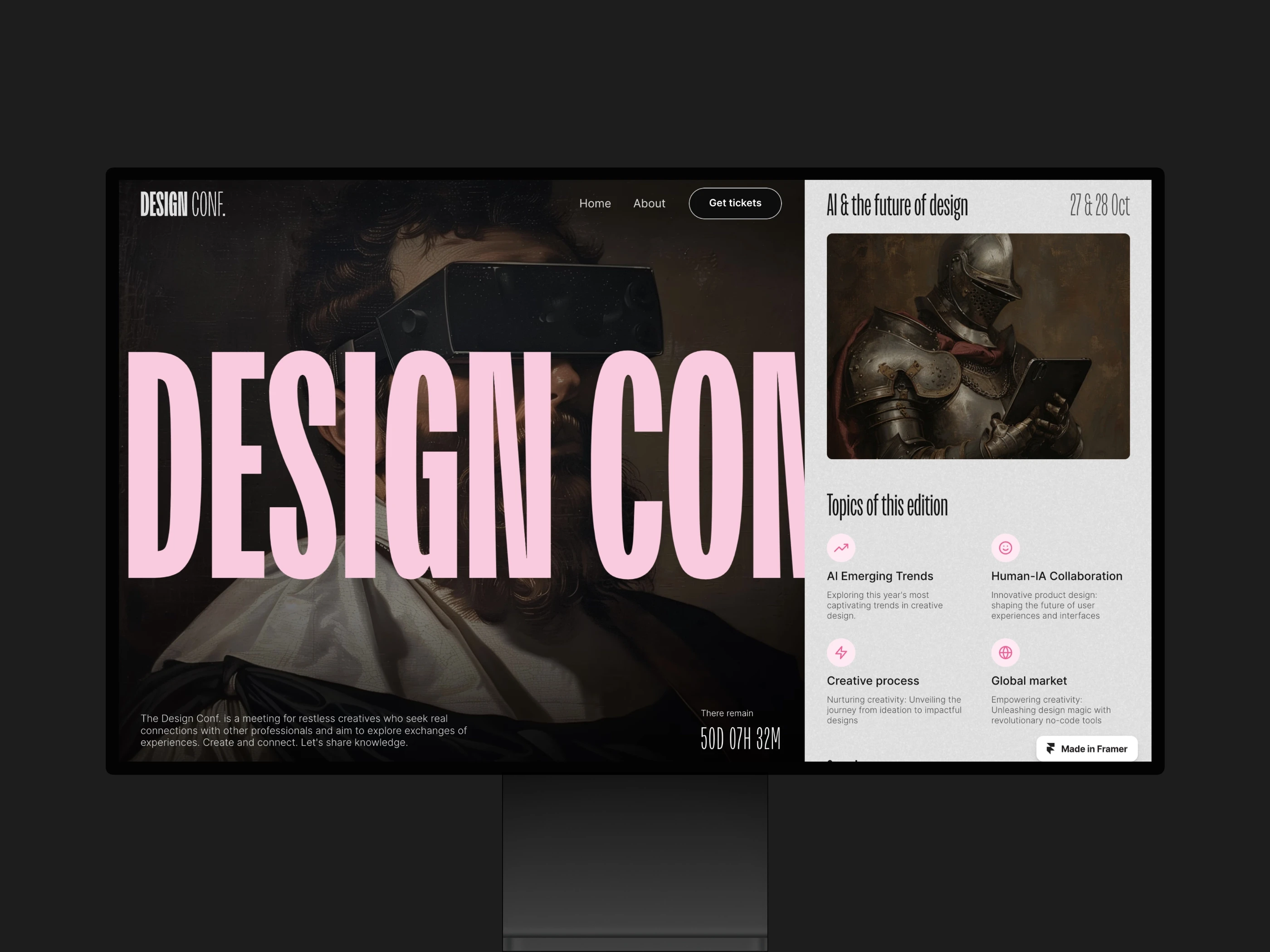
A bold, design-forward template aimed at creative events. Striking typography and a confident layout make it a good fit for design conferences, creative workshops, or events where aesthetics matter as much as content.
Best for: design conferences and creative events.
Eventix by FramerBite
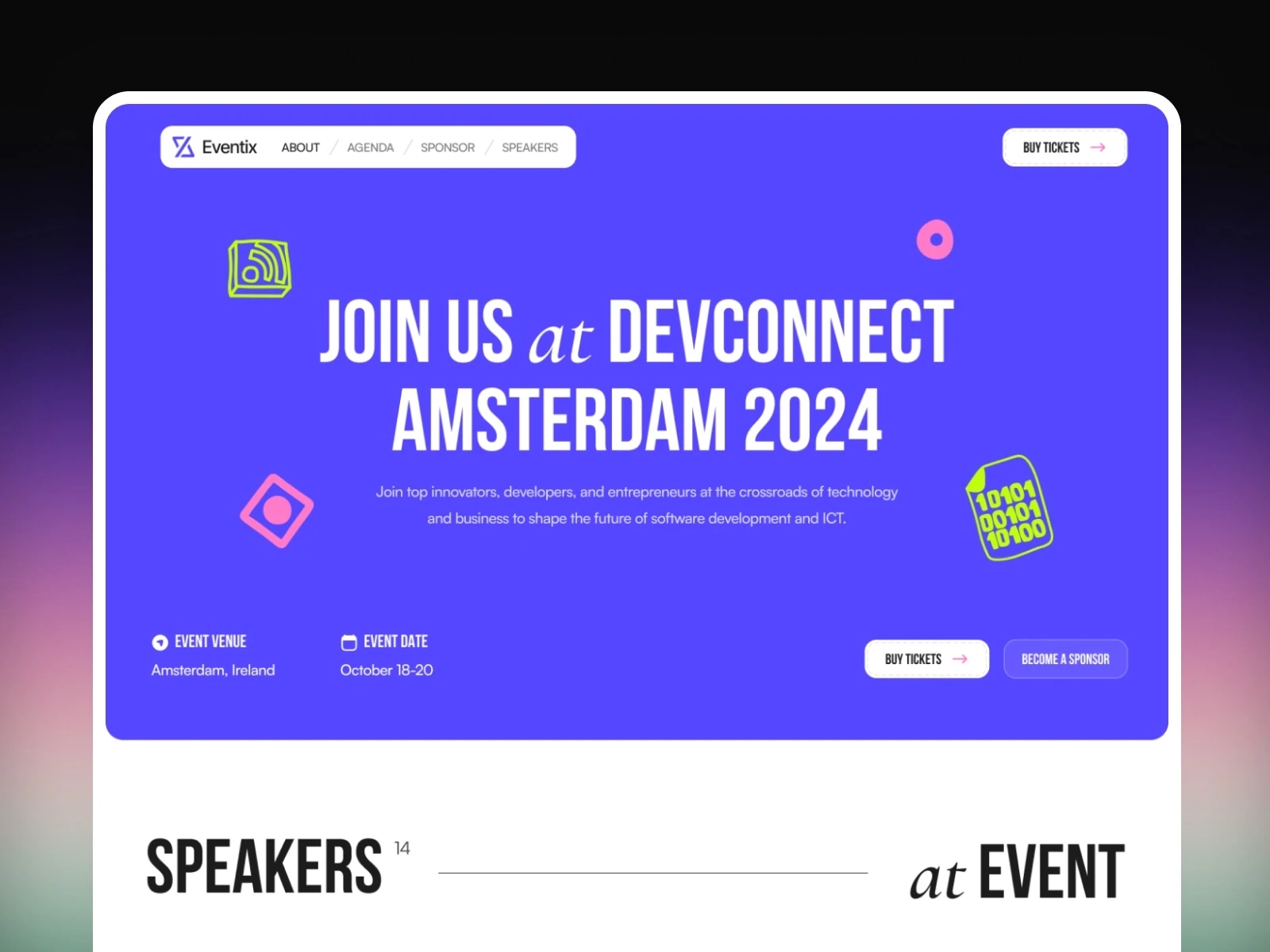
A premium template with 14 pre-built pages including schedules, speaker bios, blog, and contact forms. CMS-driven, so updating event details is straightforward. Good option if you want more structure out of the box.
Best for: multi-day conferences and events with lots of content.
Making it yours without starting over
The template is a starting point, not a prison.
Good designers know when to follow the structure and when to break it. If a section doesn't serve your event, cut it. If you need something the template doesn't include, add it.
The goal isn't to use every feature. It's to launch a site that works for your specific event.
Start with the core: what the event is, when it happens, where people buy tickets. Get that live fast. Then iterate. Add speaker bios. Improve the schedule layout. Refine the copy.
A finished event site is never actually finished. It evolves as your event does. The template just gives you a solid foundation to build from.
An event website template isn't going to make your event successful, but it can remove one major obstacle to getting started. The right template gets you online quickly with all the essential features working out of the box, so you can focus on the actual event instead of fighting with website details. Browse the full range of Framer templates if you want to see what else is available.