
There are a lot of directory websites online. And that's not without reason. A well-built directory can drive consistent traffic, build an audience, and serve as a useful side project alongside your main work. The good news: you don't need to build one from scratch. With the right directory website template, you can have something live in an afternoon.
This article explains what a directory website is, why it's worth building one, and which Framer templates are worth your time.
What is a directory website?
A directory website is essentially a curated collection of links, resources, or listings, organised into categories. The format is simple but flexible. Some directories highlight beautiful websites or showcase specific design styles. Others collect useful tools for a particular niche, like resources for web designers or a database of design agencies.
The key is curation. You're not just aggregating everything, you're selecting and organising what's actually worth looking at. That's what gives a directory value.
A directory website template is a pre-built framework for organising and displaying those listings. The template handles the structure, the layout, and usually some filtering logic. You bring the content and the customisation.
💡 Ready to build your own directory? Check out my Directory template to get started right away. Explore template
Why build one?
Let's say you're a designer or developer who sells digital products. You can have a great product, but it won't sell itself. You can do SEO, write blog articles, run paid ads, or build a social media following. Or you can start a directory website.
When you offer real value to visitors, traffic grows over time. Especially when you tag the people or companies you've featured on social media. They share it, their audience sees it, and your site gets exposure without spending a euro on advertising.
Once you have an audience, the directory becomes a natural place to promote your own products. It works best when your directory and your products are aimed at the same audience. Then it fits together without feeling forced.
A few other reasons a directory website is worth considering:
It builds SEO value over time as you add more content
It's relatively low effort to maintain once set up
It positions you as a curator and authority in your niche
It gives people a reason to come back regularly
It can generate revenue through sponsorships or paid listings
What makes a good directory website template?
Most templates are just pretty layouts. You drop in some text, swap a few images, and you're done. A directory website template has to do more work than that.
It needs to handle repetitive content structures without looking repetitive. Every listing follows the same format, but if everything looks identical, users get fatigued fast. Good directory templates build in enough visual variation to keep things interesting while maintaining consistency.
The core things a directory website template actually needs:
CMS-powered entries so you can add and update listings without touching the design
Category pages that make it easy for visitors to browse by topic
A clean, fast layout that works on mobile
SEO-friendly structure so individual listing pages can rank
Filtering that actually works, not just decorative category badges
An optional submission form so others can add their own listings
Templates built specifically for directories tend to handle these things out of the box. General-purpose templates often don't.
Plan your content before you pick a template
This is where most people get it wrong. They find a template they like the look of, buy it, and then try to force their content into it. The better approach is to map out your content structure first, then find a template that fits.
Before you pick a directory website template, think about what you're actually listing. Not just categories, but the attributes each listing needs. A design resource directory needs format, use case, pricing model, and skill level. A business directory needs location, contact details, and category. A tools directory needs pricing, platform, and use case.
If your template can't accommodate the attributes you need, you'll end up cramming information into description fields or leaving it out entirely. Neither works well.
Once you've mapped your content, pick a directory website template that matches your structure. Not the prettiest one, not the one with the most features. The one that fits your content model with the least forcing.
It also helps to import a dozen real listings before you do any customisation. See how they actually look. You'll discover things that weren't obvious in your planning, maybe your descriptions are longer than the template expects, or you need an extra category level. Fix the structure first, then make it pretty.
Getting your categories right
This is where most directories fall apart. Bad category structure makes everything else harder.
Keep your main categories between 5 and 15. Fewer than 5 and you're forcing unrelated things together. More than 15 and users can't scan the options. If you need more granularity, use subcategories or tags.
The short version: choose one primary organising principle and stick with it. Don't mix different ways of categorising things at the same level. A directory organised by industry shouldn't suddenly switch to organising by format halfway through.
Template vs custom development
You can buy a directory website template for $50 to $200 depending on platform and features. Custom development starts around $5,000 and goes up quickly from there.
Go with a template when:
Your directory structure is relatively standard
You need to launch quickly and test the concept
Your budget is limited
You're comfortable working within some constraints
Consider custom development when:
Your directory requires unique functionality that no template supports
You've already validated the concept and know exactly what you need
The template limitations are actively hurting the user experience
Most people should start with a template. You can always rebuild later if the directory takes off. Spending months on a custom build that never finds an audience is a much worse outcome than launching with a solid template and iterating based on real usage.
The best directory website templates for Framer in 2026
Framer is a strong platform for directory websites. It handles CMS content well, loads fast by default, and gives you design control without needing a developer. It works best for curated directories rather than large-scale listings with complex filtering. Here are the templates worth looking at.
Gallereee by Marc Kuiper
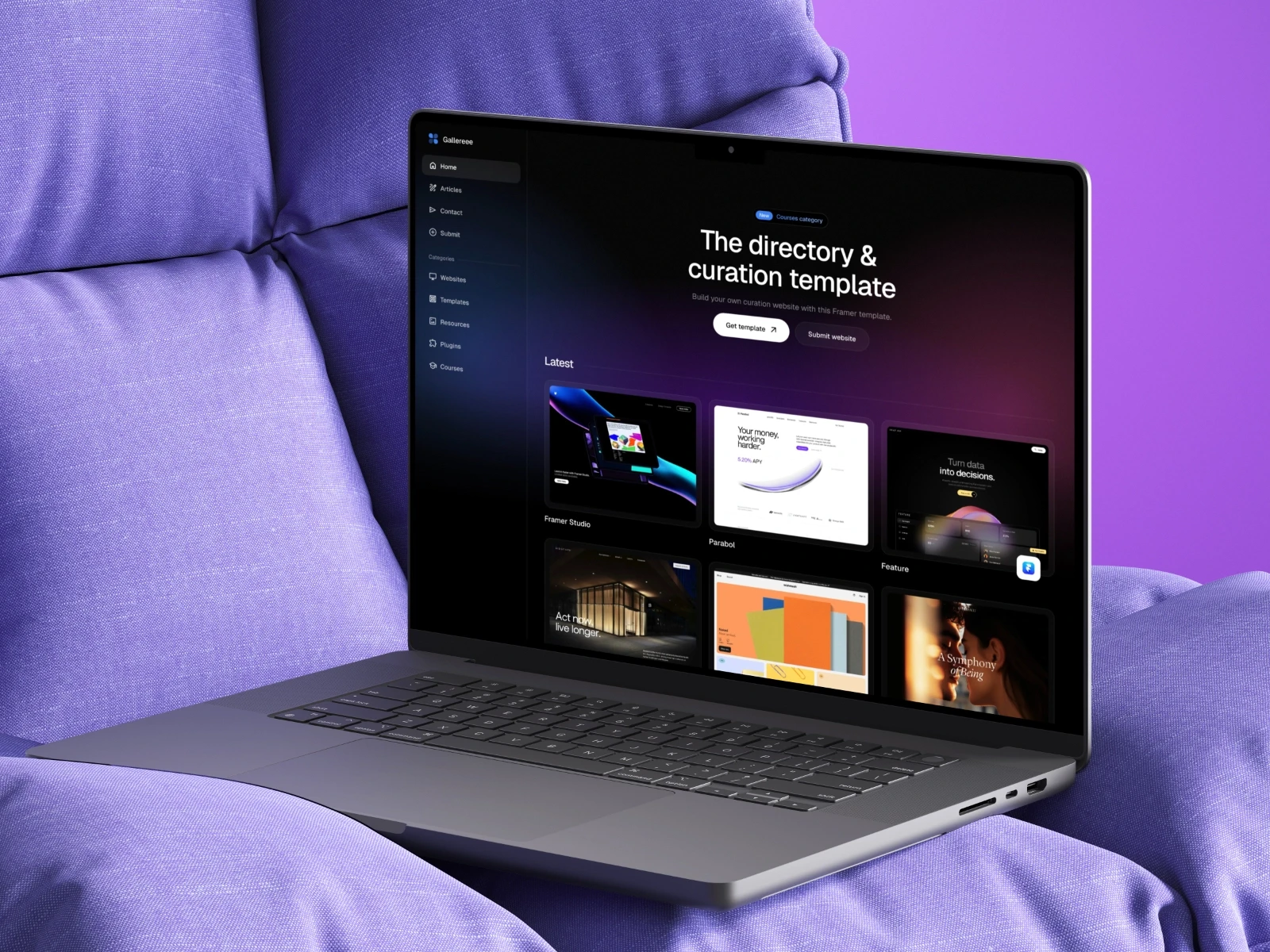
Gallereee is a full-featured curation and directory template built for designers, developers, and anyone who wants to create a resource hub around a specific niche. It includes 8 pre-designed pages, a built-in blog for SEO, a submission form, and a CMS structure that handles both website listings and blog posts.
8 pre-designed pages including blog, category pages, submit, and contact
Built-in CMS for listings and blog management
SEO-friendly structure with fast loading speeds
Fully responsive across all devices
Custom animations and smooth interactions
Free updates for life
Pricing: Free
Preview template | Get this template
Sellfile by Filip Gadziński
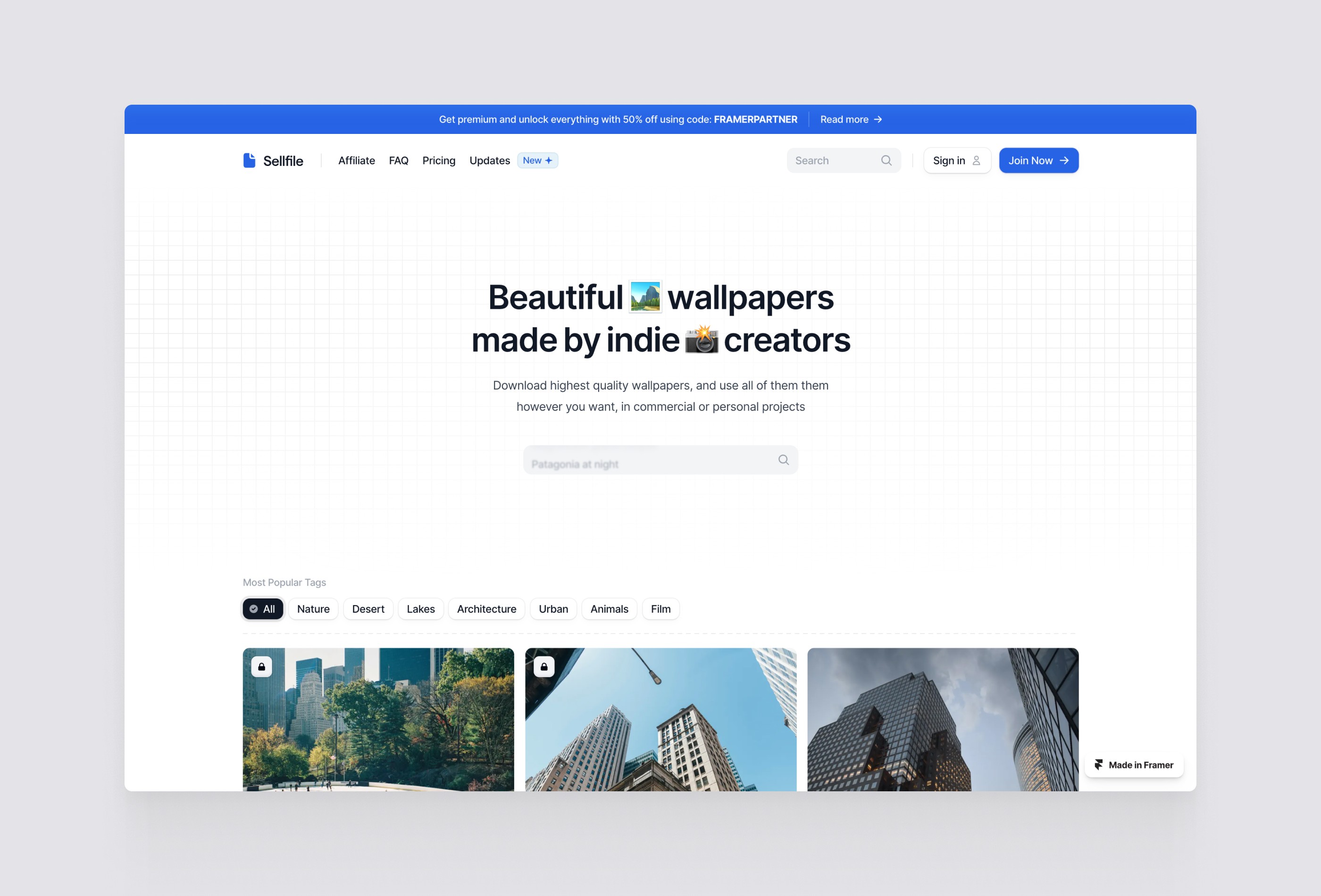
A directory template with monetisation built in. Sellfile is designed for people who want to create a directory and generate revenue from it through integrations. Available in both light and dark mode.
Light and dark mode
Monetisation integrations built in
Clean layout
Pricing: $70
Preview template | Get this template
Directory by Marc Kuiper

This inspiration directory template is built for creatives who want to collect, curate, and display beautiful work.
Dark mode
Custom animations to make interactions feel smooth and engaging.
Fully responsive across desktop, tablet, and mobile.
Latest Framer features: Page effects, global style variables, and Layout Templates.
Pricing: $99
Preview template | Get this template
Collective by Bryn Taylor
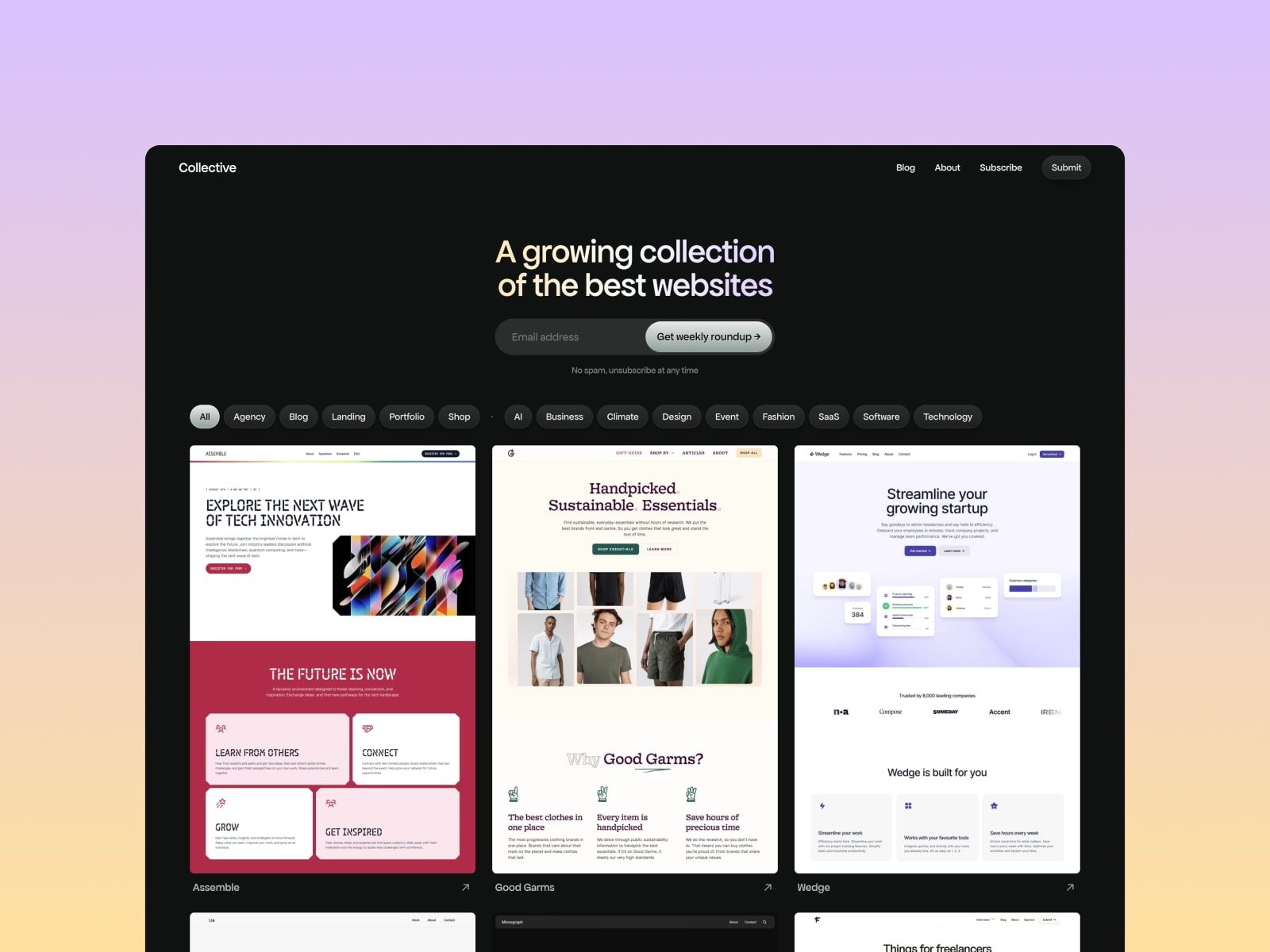
Collective is a beautiful, modern, and fast inspiration and curation directory template built with SEO firmly in mind. It uses 7 CMS collections, dynamic category pages, and powerful filters to handle more complex directory structures. With 11 ready-to-use pages and near-perfect Lighthouse scores (99 performance, 100 accessibility, 100 SEO), it's one of the most complete directory templates on the Framer marketplace.
11 ready-to-use pages including category, creator, style, and type templates
7 CMS collections with multi-reference fields
Native Framer forms, infinite scroll, and pagination
Near-perfect Lighthouse scores across performance, accessibility, and SEO
Fully responsive across desktop, tablet, and mobile
Free updates for life
Pricing: $129
Preview template | Get this template
How to pick the right one
If you want a complete setup with a blog, submission form, and a proven structure, Gallereee is the strongest free option and gives you everything in one package. If monetisation is part of the plan from day one, Sellfile is worth looking at. If you prefer a lighter, more content-focused layout, Collective is a clean alternative.
In all cases, look for a template that uses the CMS properly. Manually updating a directory without CMS is not a workflow you want after entry number fifty.
Getting started
Once you have your Directory website template, the setup process is straightforward:
Duplicate the template into your Framer workspace
Set up your CMS collections and categories
Add your first batch of listings
Customise the design to match your brand
Connect your domain and publish
What makes a directory actually worth using
The template solves the structure problem. It doesn't solve the differentiation problem.
What makes your directory worth using instead of the dozens of others in the same space? Usually it's curation, perspective, or community. The template can't provide those. You can.
A well-curated directory with a basic template beats a beautifully designed directory with mediocre content every time. Write original descriptions instead of pulling them from source sites. Create categories that reflect how your audience actually thinks. Keep it updated. Remove listings that go stale.
The hardest part is not the technical setup. It's deciding on a niche and committing to keeping it updated. A directory with twenty well-chosen entries that gets updated weekly is more valuable than one with five hundred entries that hasn't been touched in months.
You can browse all available Holygrid Framer templates if you want to see what else is available alongside the directory options.